
Yes. Your Peach account lives in the mobile app, the web app connects to it. Download the app, create your account in seconds (and back it up!), then pair your browser by scanning the QR code.
Trade Bitcoin, No Registration
Now on your desktop. Buy and sell bitcoin peer-to-peer on a bigger screen. Same self-custody, no verification.
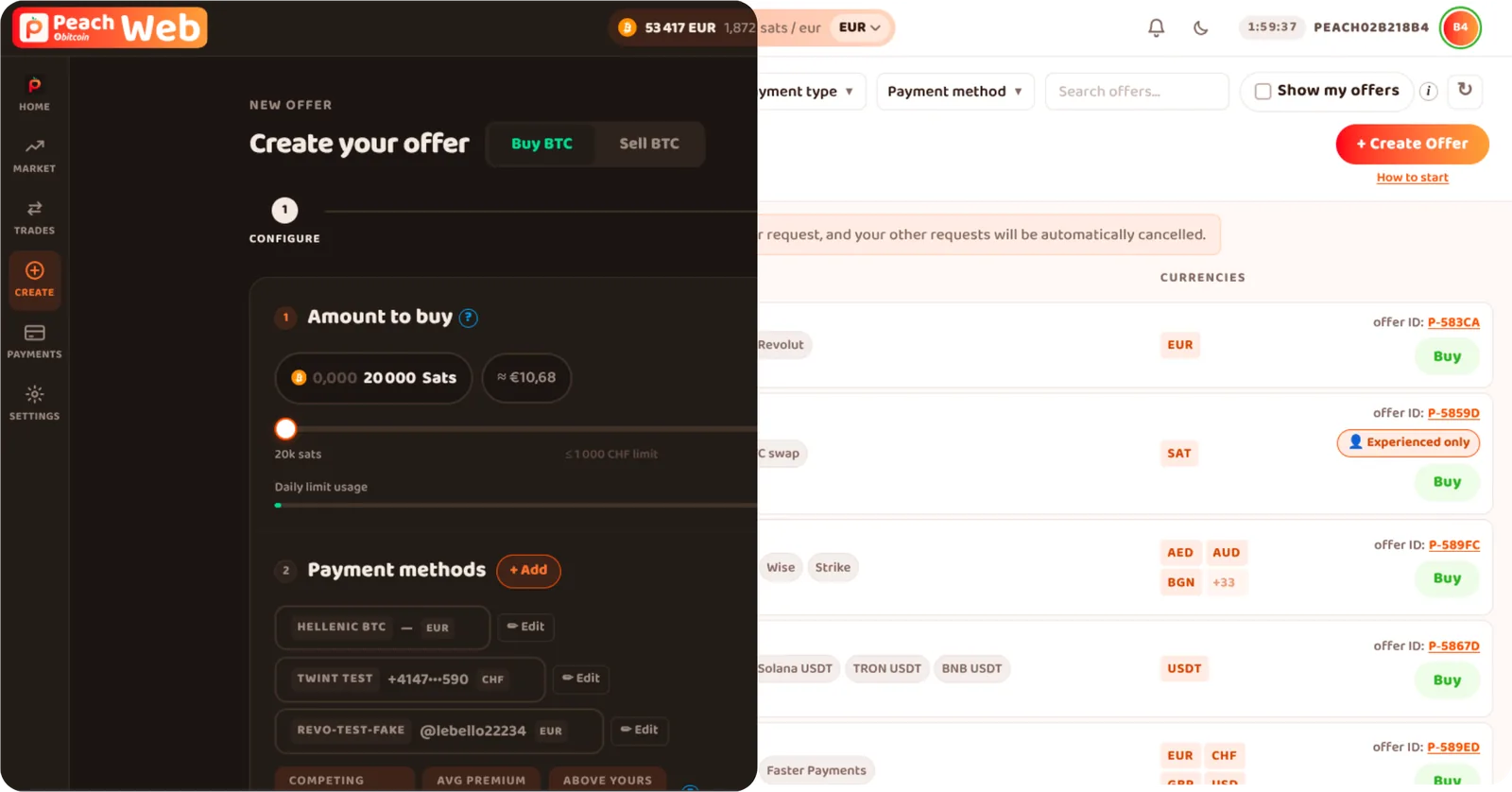
Paired with mobile
- Open source
- Multisig escrow on every trade
 Made in Switzerland
Full order book
See every offer and manage trades comfortably
Synced with mobile
Your account, balances and trades everywhere
Self-custody, no registration
You own your bitcoin all the way. Nothing changes
How it works
- 1
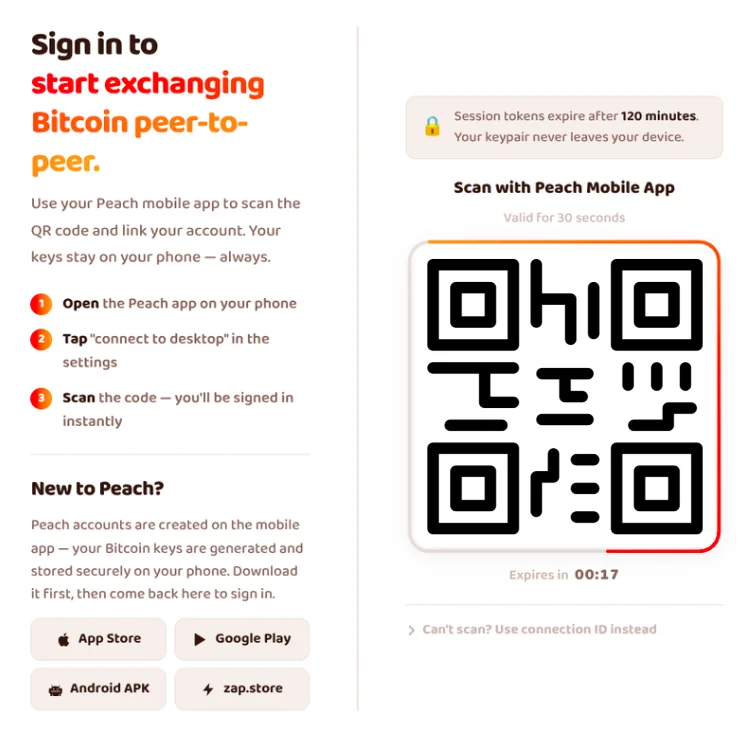
Open Peach on mobile
Tap the scan icon in the app
- 2
Scan the QR code at https://web.peachbitcoin.com
You're paired, just like WhatsApp Web
Frequently asked questions
Do I need the mobile app to use the web app?
Does Peach hold my bitcoin when I trade on desktop?
No. Peach is self-custodial everywhere: every trade is protected by a multisig escrow and your bitcoin goes straight to your own wallet. The bigger screen changes nothing about who holds the keys.
What can I do from the desktop?
Browse the full order book, send and accept trade requests, create buy and sell offers, and keep an eye on your ongoing trades: everything you do on mobile, except for the signing operation. See the blog post on the subject for more details !
Is pairing with a QR code safe?
Yes, it works just like WhatsApp Web. Scanning links your browser to the account on your phone. Nothing is shared with anyone else, and the session ends as soon as you close the window, you can also log out at any time. Make sure you are on the correct url (web.peachbitcoin.com) !
Does the web app cost anything extra?
No. The web app is free to use and trading fees are exactly the same as in the mobile app.
Ready to trade on the big screen?
Pair your phone, your order book is waiting.